
Train clients in new software: let them practice on your screen
Clients learn new software by doing, not by watching a demo. Here is how to let them practice in your environment during a call, from their browser, while you guide them.
Written by Mark
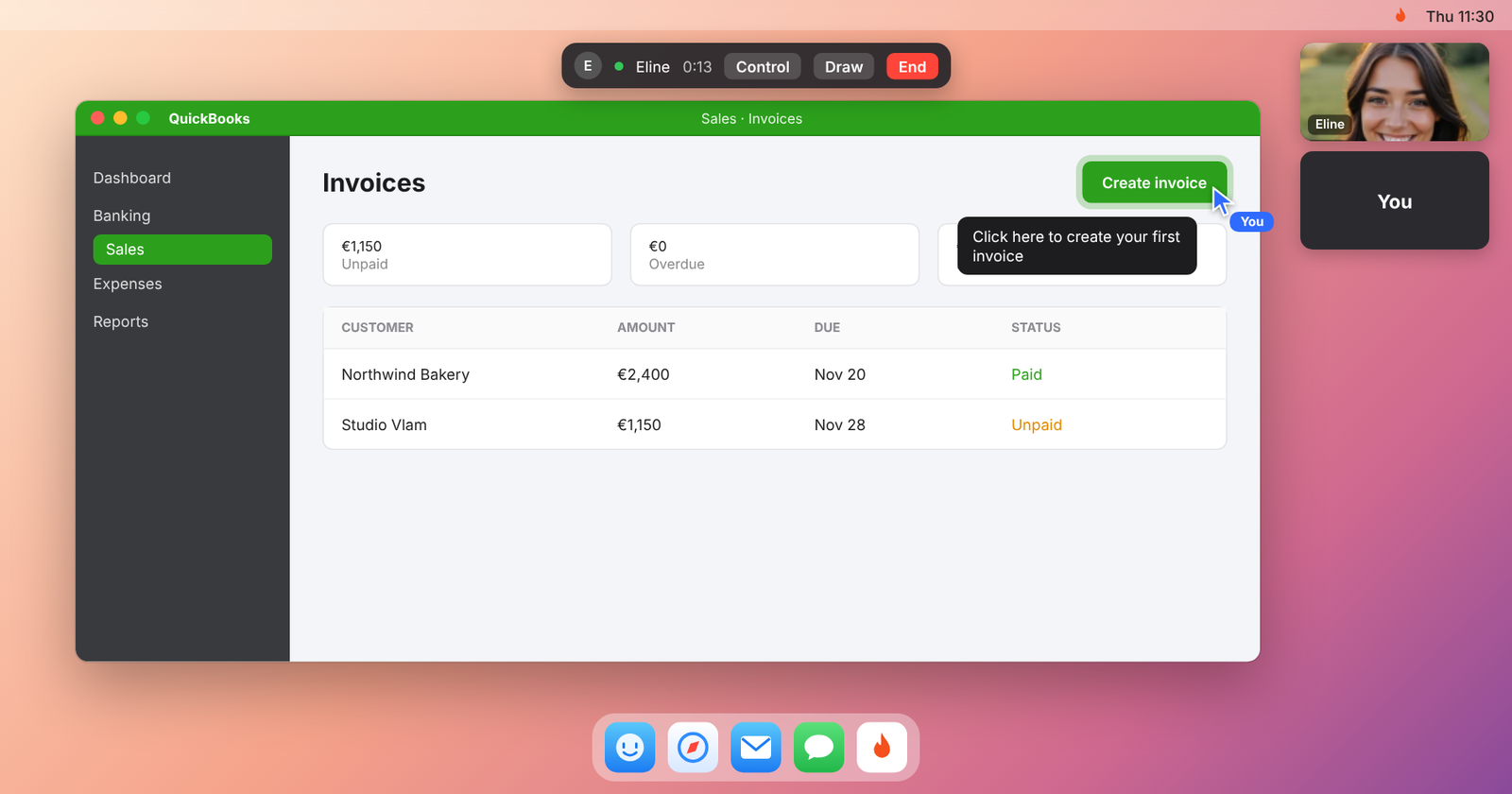
Short answer: share your screen with the software open in a demo or training environment, and let your client take the controls from their browser. They do the tasks themselves while you watch, point at the next step and step in only when they get stuck. People remember what they did with their own hands much better than what they watched.
Who this is for
- Implementation consultants rolling out a new system at a client.
- Customer success and onboarding teams at software companies.
- Resellers and agencies who set up software for their clients.
- Internal trainers introducing a new tool to colleagues.
Why the usual training call falls short
In most training calls, the trainer shares their screen and clicks, and the client watches. It looks clear in the moment. A week later, the client cannot find the menu. On top of that, many clients do not have their own account or environment ready on day one, so practicing is hard.
How to do it with Pairio
- Prepare a training environment on your Mac: a demo account or test data, so nothing real can break.
- Send your client a link. They join from their browser, on Mac or Windows, without installing anything.
- Share your screen and explain the goal of the session in one sentence.
- Give the client control. They do the first task themselves, with their own mouse and keyboard, on your screen.
- Point, do not grab. Circle the next button with the pen instead of clicking it yourself.
- Repeat with less help: the second time, you only watch.
- Finish with a checklist of the tasks they can now do on their own.
A training session in 45 minutes
| Minutes | What happens |
|---|---|
| 0 to 5 | Goal of the session, what they will be able to do afterwards |
| 5 to 15 | You show the main task once |
| 15 to 35 | The client does the main task and two variations, you guide |
| 35 to 40 | The client does it once more without help |
| 40 to 45 | Questions and next steps |
Why Pairio fits training
- No install for the client: they join from their browser.
- Learning by doing: the client controls your screen with their own mouse and keyboard.
- Readable: small menus and settings stay sharp.
- No extra licenses for practice: the client practices in your training environment, while you are there.
When Pairio is not the right choice
- You train groups of more than 4 people. Use a webinar or training tool.
- You need recorded lessons. Pairio does not record calls.
- The client must practice in their own environment on a Windows computer with you taking over. From the browser, you can only draw on their screen.
Questions people ask
Does my client need to install anything? No. They join from their browser.
Can my client practice in software they do not have a license for yet? They can work in your environment during the call, while you are present. Check the software's terms if you are unsure.
Does it work with any software? Yes, anything that runs on your Mac or in your browser.